How to Install & Setup GSE Smart IPTV on Firestick, Android, and Apple TV (2026)
Searching for a flexible way to stream? GSE Smart IPTV is a powerful, user-defined IPTV solution for advanced users. This 2026 guide covers everything from downloading the APK on Firestick to configuring your M3U playlist on iOS and Android.
Whether you prefer M3U playlists or Xtream Codes API, GSE Smart IPTV offers high-level customization, subtitle support, and a built-in EPG for an organized viewing experience.
GSE Smart IPTV does not provide any channels, live TV content, or streaming services.
You must add your own IPTV subscription using an M3U URL or Xtream Codes API provided by your IPTV provider.
How to Download GSE Smart IPTV on All Devices
You can install GSE Smart IPTV on most modern devices through official app stores or manual installation.
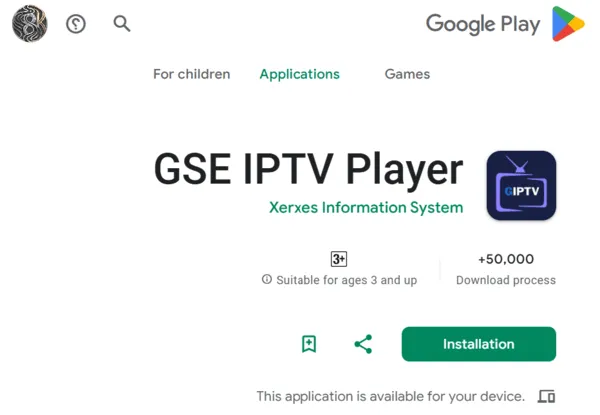
Android TV / Phone / Tablet
- Open Google Play Store
- Search for “GSE Smart IPTV” or “GSE IPTV Player”
- Select the official app by Xerxes Information Systems
- Tap Install
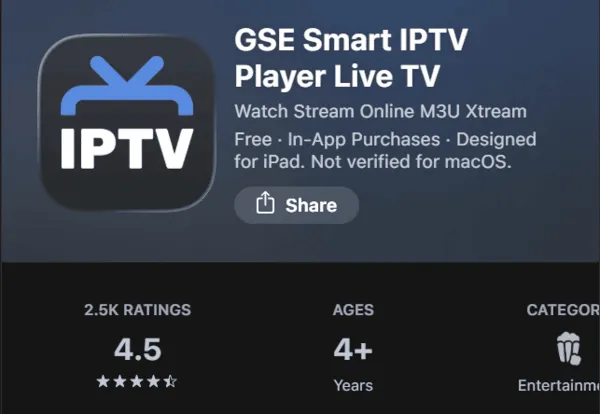
iPhone / iPad / Apple TV
- Open the Apple App Store
- Search for “GSE Smart IPTV”
- Download and install the application
How to Install GSE Smart IPTV on Firestick
On some Fire TV devices, the app may not be available in the Amazon Appstore. In that case, you can install it manually using the Downloader method.
Step-by-Step Installation
- Open Settings → My Fire TV → Developer Options
- Enable Install Unknown Apps for Downloader
- Install the Downloader app from the Amazon Appstore
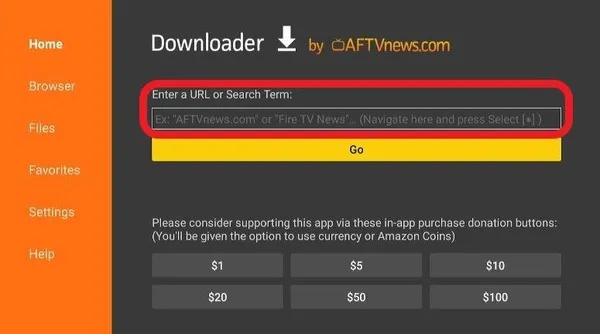
- Open Downloader and enter code 298344
- Download and install GSE Smart IPTV APK
How to Setup GSE Smart IPTV
After installation, you must connect your IPTV subscription to start streaming.
M3U Playlist Method
- Enter your M3U playlist URL from your IPTV provider
- The app will automatically load channels and categories
Xtream Codes API (Recommended)
This method provides better performance and a more organized interface.
- Server URL
- Username
- Password
Why this method is better:
Automatic channel grouping, faster loading times, and built-in EPG (TV guide) support.
Common Installation Issues
App Not Installing on Firestick
Ensure “Install Unknown Apps” is enabled for Downloader in Fire TV settings.
Playlist Not Loading
Double-check your M3U URL or Xtream Codes credentials for errors or expired subscriptions.
App Crashing or Freezing
Clear cache or reinstall the latest version of GSE Smart IPTV.
Frequently Asked Questions
Is GSE Smart IPTV free?
Yes, the app is free to download and use.
Does GSE Smart IPTV include channels?
No, you must add your own IPTV playlist or subscription.
Can I use GSE Smart IPTV on Firestick?
Yes, it works on Firestick using Downloader installation.
What is the best setup method?
Xtream Codes API is recommended for better performance and organization.