How to Install IPTV Smarters Pro on Firestick, Android TV & Google TV (2026 Guide)
Looking for the best way to watch IPTV on your Firestick? This updated 2026 guide explains how to install IPTV Smarters Pro, TiviMate, and IBO Player on Firestick, Android TV, and Google TV using the Downloader app.
While many players exist, IPTV Smarters Pro remains a top choice due to its modern interface, reliable 4K streaming performance, and support for Xtream Codes API. Whether you are using a Fire TV Stick 4K, Max, or an Android-based smart TV, this method ensures a fast and secure installation.
In this guide, you’ll learn how to:
- Install IPTV Smarters Pro using Downloader
- Enable unknown apps on Firestick
- Use Downloader codes safely
- Setup IPTV Smarters Pro with Xtream Codes API
- Configure IPTV streaming on Android TV & Google TV
Contents
IPTV Smarters Pro is a media player application and does not provide channels, movies, or IPTV subscriptions.
To use the app, you must add your own IPTV service credentials using either: Xtream Codes API or an M3U playlist URL provided by your IPTV provider.
IPTV Smarters Pro is not available on the Amazon Appstore for Firestick devices. The Downloader app allows users to install APK files safely using direct links or Downloader short codes.
This method is commonly used on Fire TV and Android TV devices for installing streaming applications unavailable in official stores.
What is IPTV Smarters Pro?
IPTV Smarters Pro is a powerful IPTV media player designed for streaming live TV, movies, TV series, and catch-up content using IPTV subscriptions.
The application features a clean interface optimized for TVs and streaming devices, making navigation easy with a standard remote control.
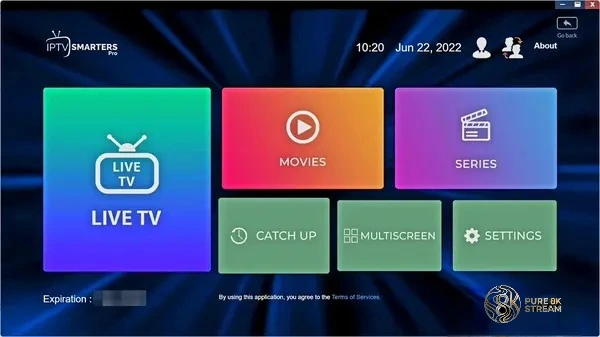
Users can quickly access categories such as Live TV, Movies, Series, and Catch-up directly from the dashboard.
Why IPTV Smarters Pro is Popular
IPTV Smarters Pro is widely used because it combines advanced streaming features with a user-friendly design that works well on Firestick and Android TV devices.
Unlike many IPTV players, the application is free to install and supports multiple IPTV formats including Xtream Codes API, M3U playlists, and local files.
The developers also release regular updates that improve stability, playback performance, and compatibility with newer Fire TV and Google TV versions.
Important Information Before Installation
IPTV Smarters Pro is not available in some official app stores, which means installation requires sideloading the APK manually using Downloader.
Sideloading is a standard Android-based process used for installing third-party applications outside official stores.
For security reasons, always download APK files from trusted sources and avoid modified or unofficial versions.
Supported Devices
IPTV Smarters Pro works across a wide range of streaming devices and operating systems.
- Amazon Firestick & Fire TV
- Android TV Boxes
- Google TV & Chromecast
- Apple TV
- Windows PC
- Android smartphones & tablets
- iPhone & iPad
This guide focuses specifically on Firestick, Android TV, and Google TV devices using the Downloader installation method.
IPTV Smarters Pro Features
IPTV Smarters Pro includes several features designed to improve the IPTV streaming experience.
- Supports Xtream Codes API and M3U playlists
- Modern TV-friendly interface
- Multi-screen support
- EPG (Electronic Program Guide)
- Parental controls
- External player integration
- Catch-up TV support
- Live TV recording support
- 4K streaming compatibility
How to Install IPTV Smarters Pro on Firestick
Follow the installation steps below to install IPTV Smarters Pro using Downloader.
-
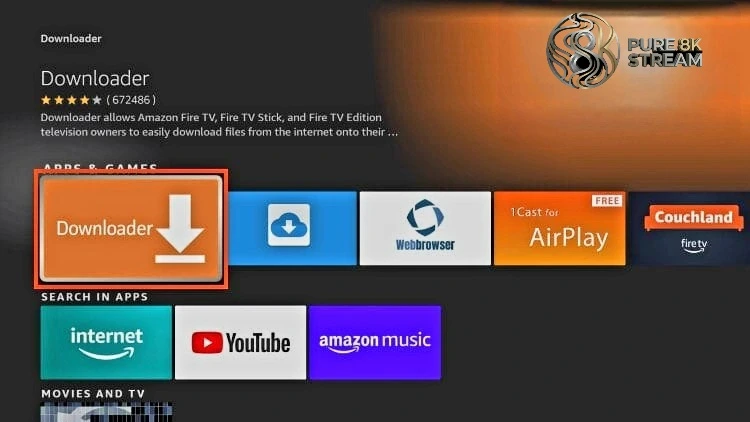
Install the Downloader app on Firestick.
If you have not installed Downloader yet, follow our Downloader setup guide .
-
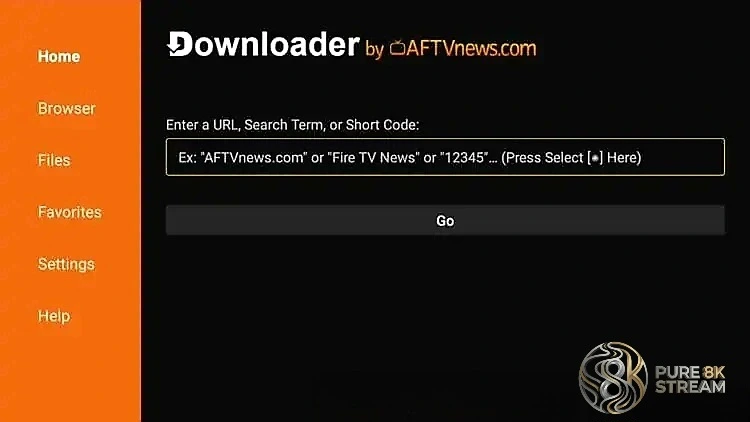
Open Downloader and select the URL field.
-
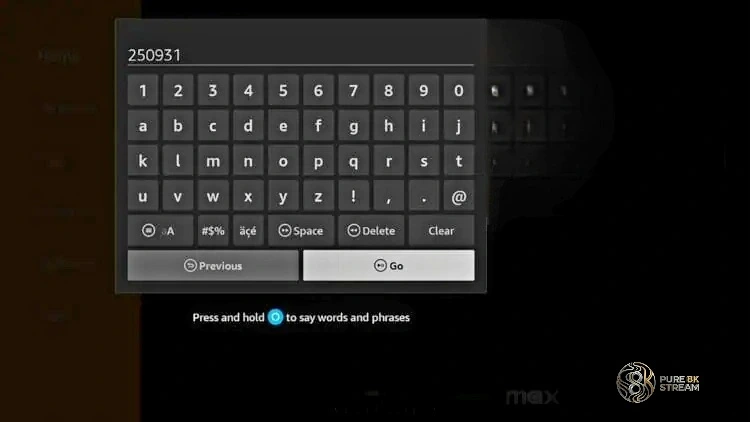
Enter Downloader Code 250931
Type 250931 and click Go to access the IPTV Smarters Pro APK.
-
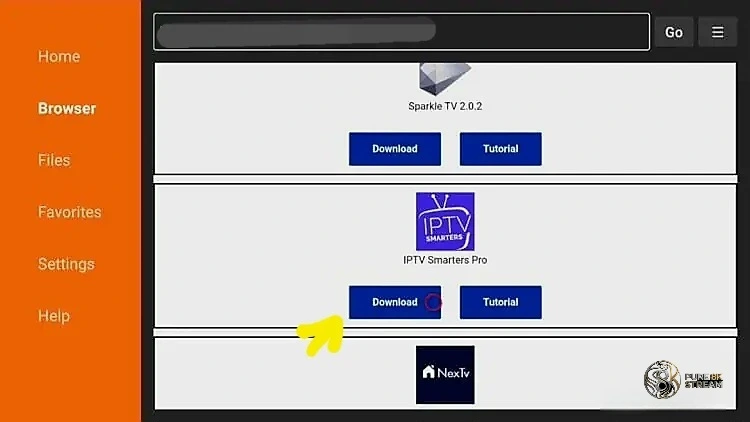
Download IPTV Smarters Pro
-
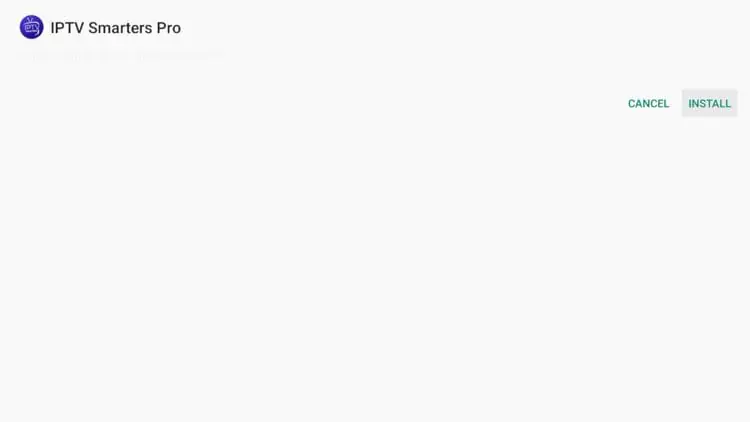
Install the APK File
-
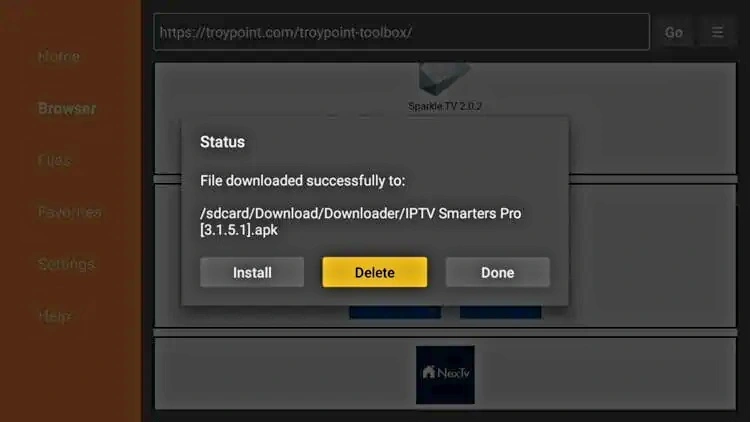
Delete the APK file after installation
Removing the APK file helps free up storage space on Firestick devices.
-
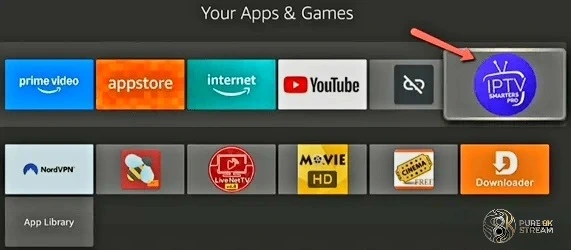
Installation Complete
IPTV Smarters Pro is now available in your applications list.
How to Setup IPTV Smarters Pro
After installation, launch IPTV Smarters Pro and configure your IPTV subscription.
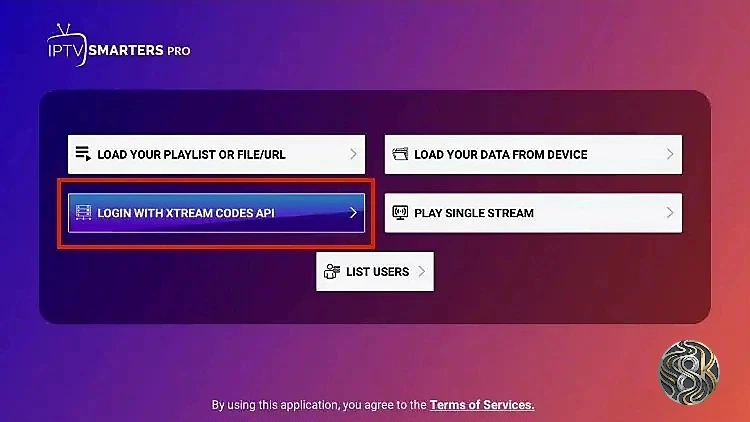
The recommended setup method is Xtream Codes API, which is faster and easier than manually entering long M3U URLs.
-
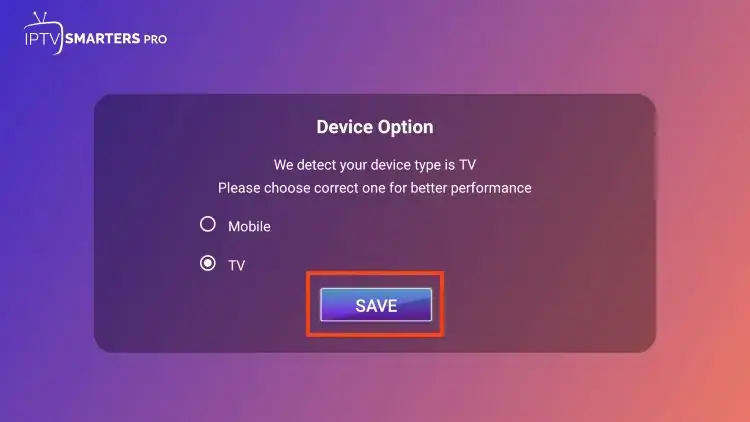
Select TV Layout
Choose TV if using Firestick, Android TV, or Google TV.
-
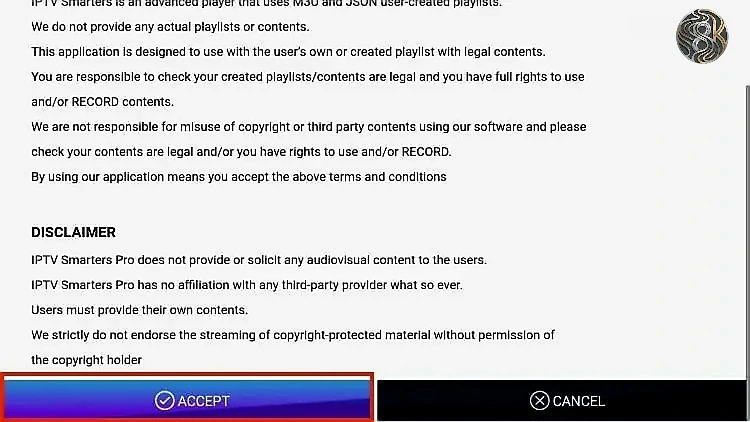
Accept Terms & Conditions
-
Select Login with Xtream Codes API
-
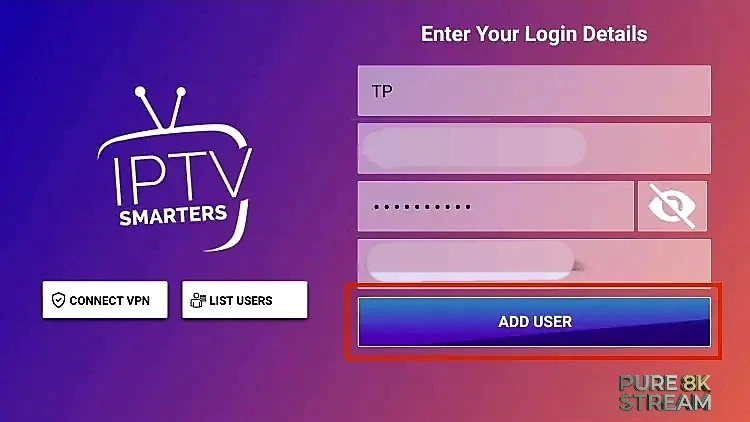
Enter IPTV Account Details
Add your username, password, and server URL provided by your IPTV service.
-
Start Streaming
congratulations! You have successfully set up IPTV Smarters Pro and can now access your IPTV channels and content.
Best IPTV Player Downloader Codes (2026)
While IPTV Smarters Pro is excellent, you may prefer other players for their unique features. Use these verified Downloader codes to install other popular IPTV apps directly on your Firestick or Android TV.
Quick Download Codes
- 🚀 IPTV Smarters Pro:
250931 - 📺 TiviMate Player:
278077 - 💎 IBO Player Pro:
923441or5546232 - 🛠️ GSE Smart IPTV:
298344
How to use these codes:
- Open the Downloader app on your device.
- Highlight the URL/Code box on the home screen.
- Type the numeric code listed above (e.g.,
278077for TiviMate). - Select Go. The app will automatically redirect to the APK download link.
- Wait for the download to finish, then click Install.
Common IPTV Smarters Installation Problems
Downloader Not Working
Restart your Firestick and verify your internet connection before retrying the installation.
Install Unknown Apps Disabled
Open Fire TV Developer Options and allow Downloader to install APK files.
view guideLogin Credentials Not Working
Double-check the Xtream Codes username, password, and server URL provided by your IPTV service.
Frequently Asked Questions
Is IPTV Smarters Pro free?
Yes. IPTV Smarters Pro is free to download and use.
Does IPTV Smarters provide channels?
No. IPTV Smarters Pro is only a media player and does not include content.
Can I use IPTV Smarters on Google TV?
Yes. IPTV Smarters Pro works on Google TV, Chromecast, Android TV, and Firestick devices.
What login method is recommended?
Xtream Codes API is recommended because it is easier to configure than long M3U playlist URLs.
Conclusion
IPTV Smarters Pro remains one of the best IPTV players for Firestick, Android TV, and Google TV due to its flexibility, modern interface, and broad streaming compatibility.
By following this installation and setup guide, you can quickly configure IPTV Smarters Pro and begin streaming on your preferred device.