How to Install IPTV Smarters on Apple TV (Step-by-Step Guide 2026)
Want to watch IPTV on Apple TV? This guide shows you how to install IPTV Smarters Player Lite on Apple TV using Xtream Codes API. The setup only takes a few minutes and works on Apple TV HD and Apple TV 4K.
You will learn how to download the app, enter your IPTV login details, and start streaming live TV, movies, and series smoothly on Apple TV.
Why Use IPTV Smarters on Apple TV?
IPTV Smarters is one of the most popular IPTV player apps because of its simple interface, fast performance, and support for live TV, movies, series, and EPG integration.
On Apple TV, the app delivers a smooth streaming experience with support for high-quality playback and easy navigation using the Apple TV remote.
What You Need Before Installation
- Apple TV HD or Apple TV 4K
- Access to the Apple App Store
- An active IPTV subscription
- Your Xtream Codes login details
-
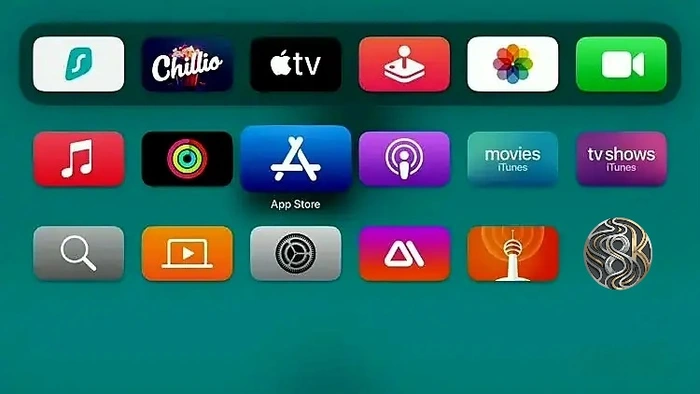
Step 1: Open the App Store
From the Apple TV home screen, open the App Store.
-
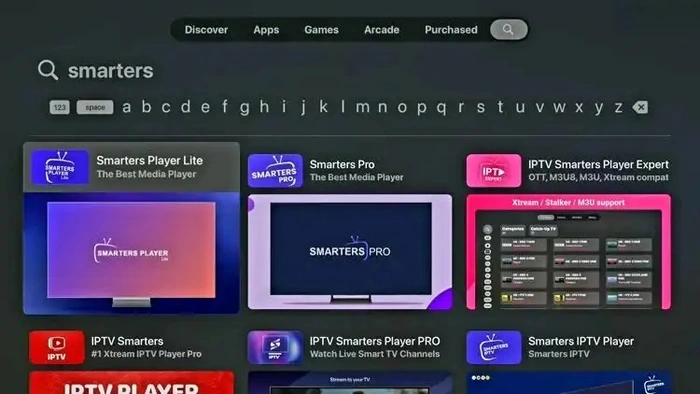
Step 2: Search for IPTV Smarters
Use the search feature and type “IPTV Smarters” or “Smarters”. Select Smarters Player Lite from the results.
-
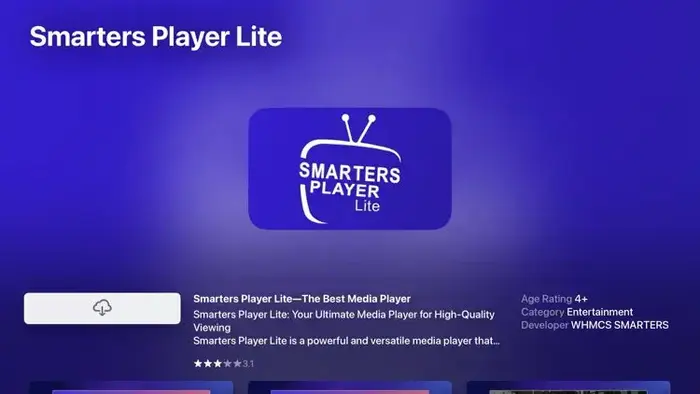
Step 3: Install the App
Click the download button and wait for the installation to finish.
-
Step 4: Launch IPTV Smarters
Once installed, open the app from your Apple TV home screen.

-
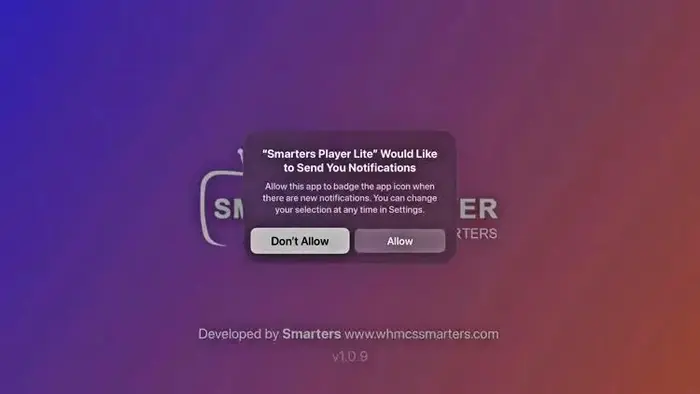
Step 5: Allow or Skip Permissions
If a permissions message appears, select “Don’t Allow” to continue.
-
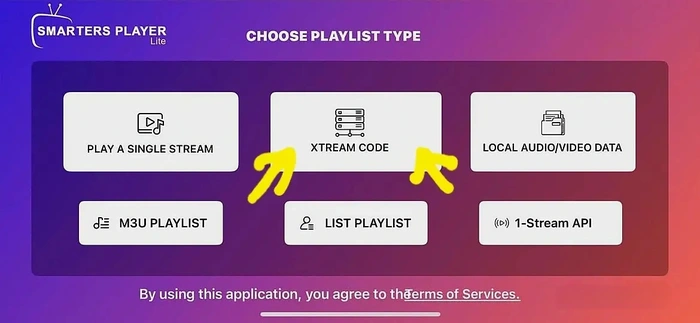
Step 6: Choose Xtream Codes API
Select Login with Xtream Codes API on the login screen.
-
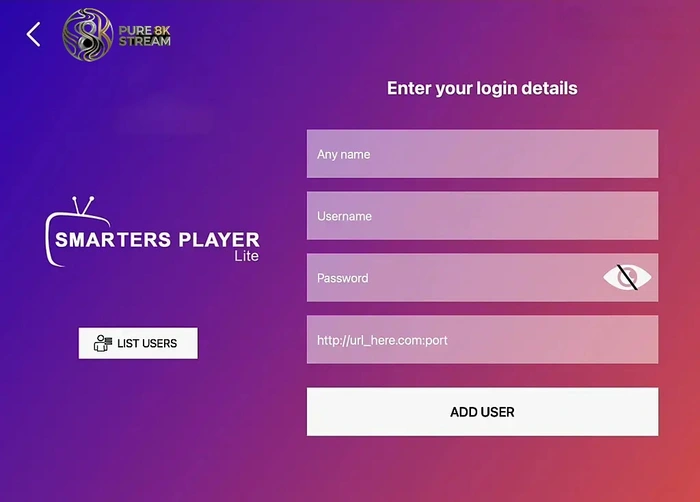
Step 7: Enter IPTV Login Details
Enter your username, password, and server URL provided by your IPTV service. Then click Add User.
-
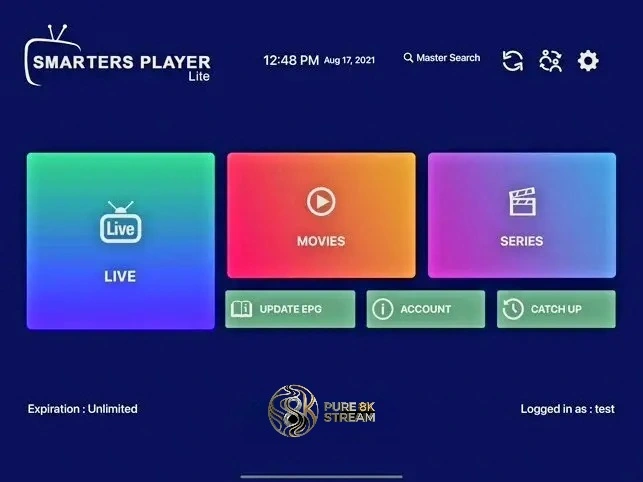
Step 8: IPTV Smarters Setup Complete
Your IPTV Smarters app is now ready to use on Apple TV.
-
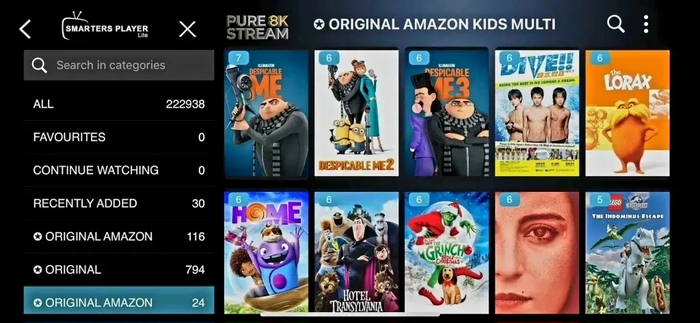
Step 9: Start Streaming
Open Live TV, Movies, or Series and start watching your IPTV channels.
Final Thoughts
Installing IPTV Smarters on Apple TV is simple and beginner-friendly. Once connected with your Xtream Codes details, you can enjoy live TV, movies, and series with a smooth streaming experience on the big screen.